based pchelpware
Release 1.0
(built 2 January 2007 ~1h00)
(built 2 January 2007 ~1h00)
1. -=viewer (you)=-
download PchelpWare_viewer.exe
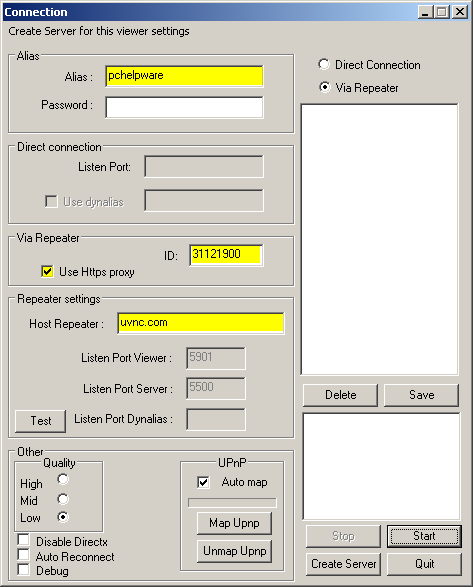
Then, run pchelpware_viewer.exe and fill exactly as below:
-
alias: (optional),pchelpware or any name you prefer)
-
password (required): password <-- fill before press Start
-
select via repeater
-
use ID number other than 31121900
-
set Host Repeater: uvnc.com
-
set Listen Port viewer: 5901
-
set Listen Port server: 5500
-
optionally, if you connect to Internet trough https proxy, check the check box
-
and finally, click Start
2. -= partner =-
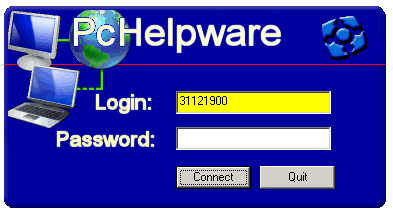
The partner has to download and runs pchelpware_partner.exe, enters your login: as you set in the respective field (31121900 in the sample above) and password (required) password click Connect then.
3. -=You are now connected to the partner
=-